
Shiei
Operational Documentation
Structured deployment and room procedures replacing static handouts — verified directly against live Shiei Panel software behavior.
01 · IT Administrator
Run Shiei Core + Shiei Panel on any reliable school desktop or lab host, link your school domain via Cloudflare Tunnel, and activate your institutional license key.
Install the Shiei server bundle on standard school desktop or server hardware (minimum 8 GB RAM for 300+ simultaneous seats). MySQL and Redis initialize cleanly with automatic local storage.
Open the Shiei Panel setup wizard, paste your EXAM-XXXX-XXXX-XXXX activation key, verify student quota capacity, and bulk import student and class lists via XLSX/CSV.
Before exam week begins, confirm mobile client APK/IPA builds point to your school tunnel URL and test 1 sample wrapped assessment from a teacher desk.
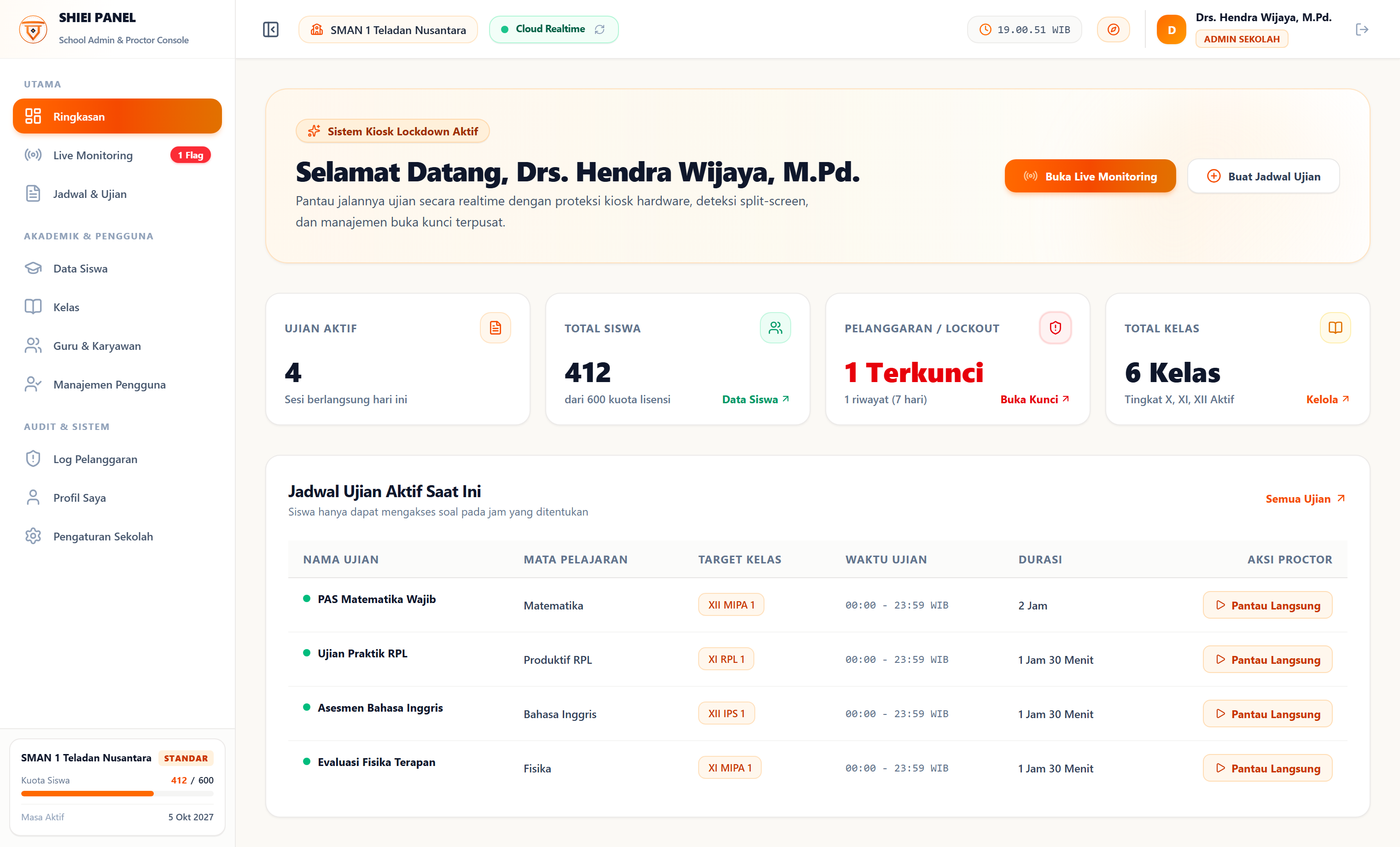
Real live capture of Shiei Panel Overview showing active exams, registered student quota usage (412 / 600), and real-time room health.
See it in a live 20-min demoReady When Your Next Exam Term Begins
Book a 20-minute walkthrough with our engineering team or proceed directly to licensing tailored to your school enrollment.
Direct engineer support · 07:00 – 19:00 UTC+7 · Email response under 12 business hours.
Institutional Readiness Standard
Wrap Google Forms or Moodle
Validate exam lockdown on your actual school form before purchasing.
Flexible 6-Month or Annual Term
Built for growing schools and international multi-campus institutions.
Instant Key + Setup Bundle
Generate your active EXAM license key and server config upon payment.